A few years ago, building a premium website usually meant hiring a designer, working with a developer, or spending countless hours customizing templates.
Today, AI website builders are changing that process dramatically.
Recently, I decided to run a simple experiment.
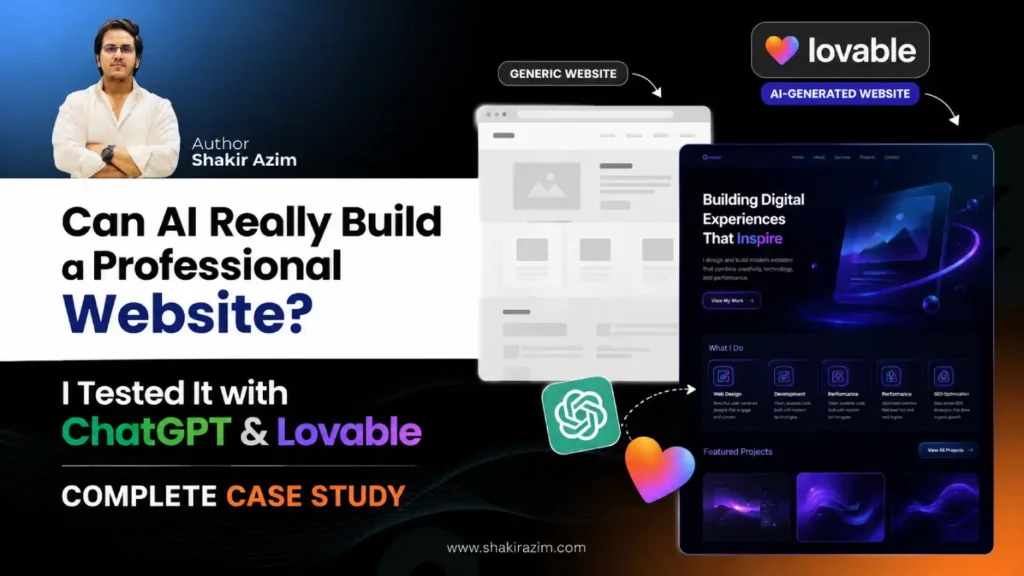
Could I create a modern 3D portfolio website using nothing more than a detailed prompt and an AI website builder?
No coding.
No expensive software.
No design team.
Just a carefully crafted prompt, an AI website builder, and a bit of curiosity.
The result genuinely surprised me.
What started as a simple test quickly turned into one of the most interesting AI experiments I’ve done this year.
Can AI Really Build a Professional Website?
Over the last few years, I’ve launched multiple websites, built successful blogs, worked on SEO projects, and tested countless digital tools.
Every few months, a new AI website builder appears and promises to create beautiful websites in minutes.
Most of the time, the results are decent but not particularly impressive.
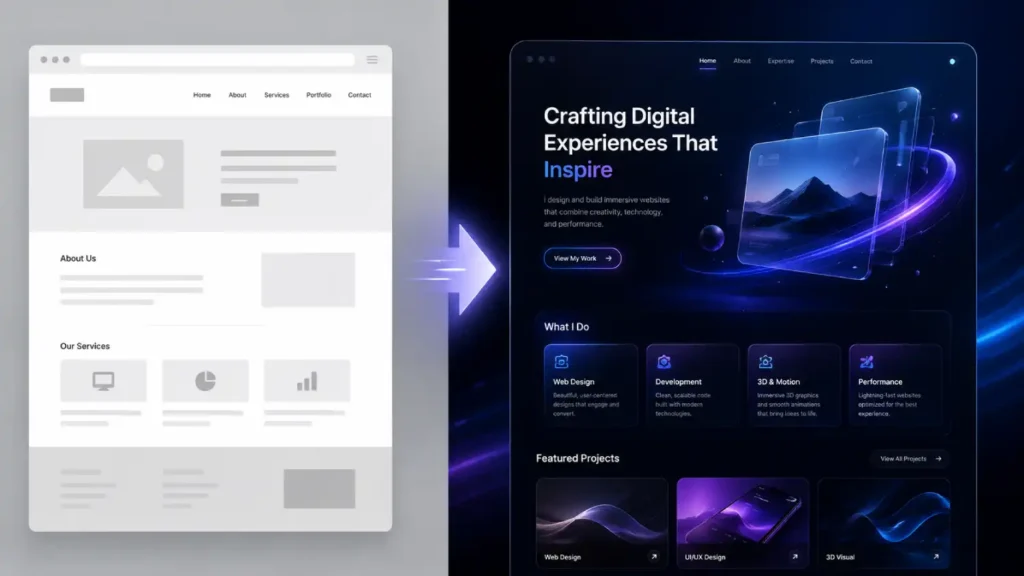
You’ll usually get a basic layout, generic sections, and a design that looks like dozens of other websites online.
That’s exactly why I wanted to test the limits of AI website creation.
Instead of asking AI to “create a portfolio website,” I wanted to see what would happen if I gave it extremely detailed instructions.
Could AI create something that actually felt premium?
Could it generate something that looked modern, interactive, and visually engaging?
And more importantly:
Could an ordinary user build something impressive without hiring a developer?
Why I Ran This Experiment
To be clear, this wasn’t my main website.
My goal wasn’t to replace my existing online presence.
This was simply a test.
As someone who works in SEO and digital growth, I spend a lot of time evaluating new tools and understanding how technology is changing online business.
AI website builders are becoming increasingly popular.
People are using them to create:
- Portfolio websites
- Agency websites
- Landing pages
- SaaS websites
- Personal brands
- Business websites
But most of the examples I saw looked fairly generic.
I wanted to find out whether the problem was the tools themselves—or the prompts people were using.
So I decided to create a detailed website prompt from scratch and see what happened.
What I Actually Used
The process was surprisingly simple.
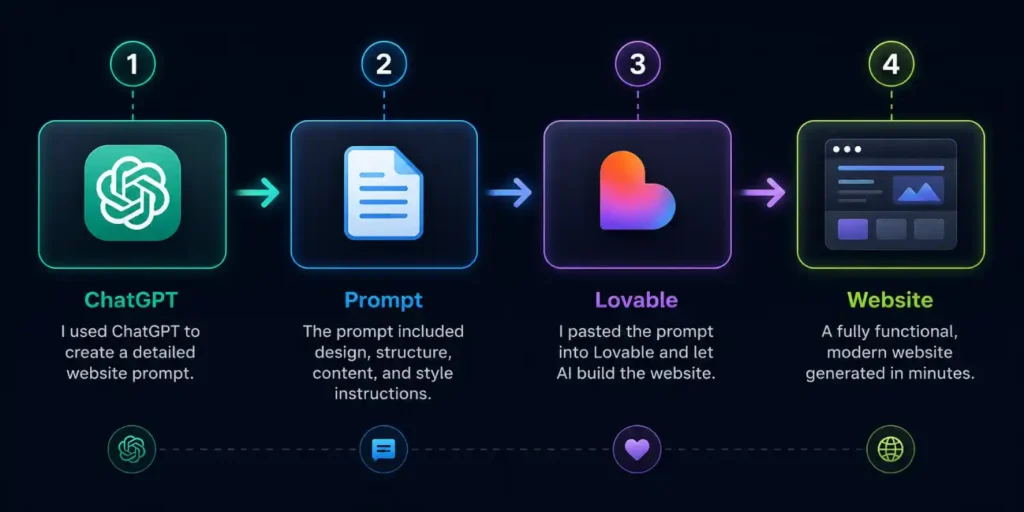
Step 1: I Used ChatGPT to Create the Prompt
Instead of writing a few lines of instructions, I built a comprehensive website blueprint.
The prompt included:
- Design requirements
- Target audience
- Website structure
- Service sections
- Interactive elements
- 3D animations
- Technical requirements
- User experience expectations
In many ways, the prompt became a mini creative brief.
Step 2: I Pasted the Prompt Into Lovable
After refining the prompt, I pasted it directly into Lovable.
The platform then generated the website based on those instructions.
Step 3: I Uploaded My Photo
To make the website feel more personal, I uploaded my own image and instructed Lovable to integrate it naturally into the design.
The platform automatically adapted the image to fit different sections while maintaining a consistent visual style.
Step 4: I Reviewed the Result
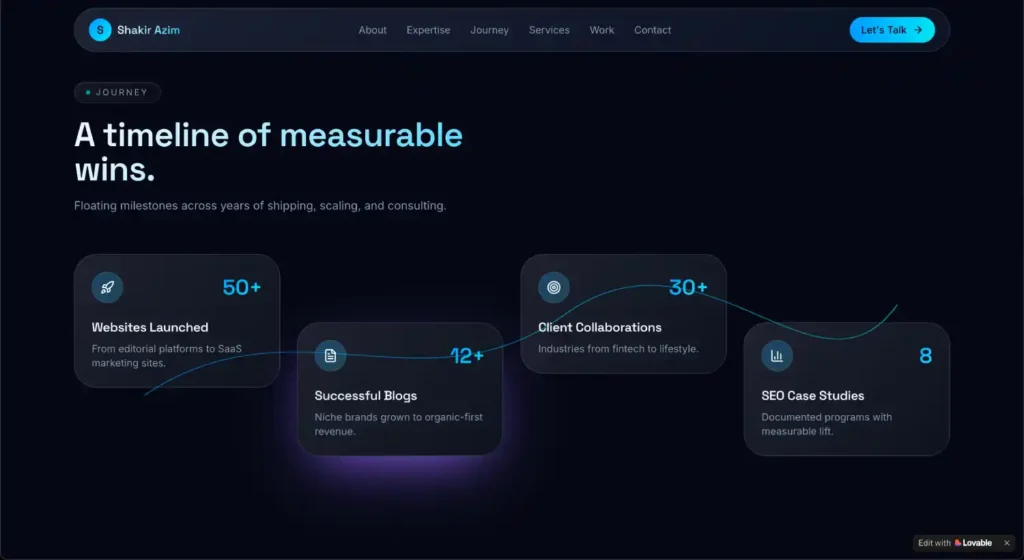
Within a relatively short period of time, I had a working portfolio website featuring:
- Modern layouts
- Interactive sections
- Premium visual hierarchy
- Smooth animations
- Responsive design
- 3D-inspired effects
The Biggest Lesson I Learned
Most people think AI website builders are the secret.
I don’t.
The real secret is the prompt.
The same principle applies to SEO. Whether you’re creating content, optimizing pages, or experimenting with AI workflows, the quality of your instructions often determines the quality of the outcome. I’ve discussed this broader shift in my guide to SEO and digital growth in the AI era.
The quality of the output depends heavily on the quality of the instructions.
If you ask AI to:
“Build me a website.”
You’ll probably get a generic website.
But if you describe:
- Your business
- Your audience
- Your services
- Your goals
- Your desired design style
- Your content structure
- Your user experience expectations
The results improve dramatically.
The AI builder is important.
But the prompt is where the real leverage exists.
In my opinion, learning how to communicate effectively with AI is becoming one of the most valuable digital skills available today.
Is Lovable the Best AI Website Builder?
One of the most common questions people ask is:
“What’s the best AI website builder?”
Honestly, I don’t think there’s a universal answer.
Different tools have different strengths.
What I can say is this:
Based on this experiment, Lovable was capable of generating a visually impressive portfolio website from a single detailed prompt.
The experience was simple, fast, and surprisingly effective.
If you’re a:
- Freelancer
- Creator
- Consultant
- Agency owner
- Personal brand
It’s definitely worth exploring.
However, don’t expect miracles from weak prompts.
The quality of your instructions will always influence the quality of the result.
The Exact Website Prompt Template
One of the reasons I wanted to publish this case study is because many people assume these results require advanced technical skills.
They don’t.
The prompt I used follows a simple framework that anyone can customize.
Instead of sharing a prompt that’s specific to my personal brand, I’m sharing a reusable template that works for almost any business, freelancer, agency, or creator.
Simply replace the placeholders with your own information.
# Ultimate 3D Interactive Website Prompt Template

Create an ultra-modern, premium, single-page website for [BUSINESS NAME / PERSONAL BRAND NAME].

Business Type: [BUSINESS TYPE]

Target Audience: [TARGET AUDIENCE]

Primary Goal: [LEADS / SALES / BOOKINGS / PERSONAL BRANDING / PORTFOLIO / AWARENESS]

Primary Keywords: [KEYWORD 1, KEYWORD 2, KEYWORD 3, ETC.]

The website should feel like a next-generation interactive digital experience rather than a traditional website. Every scroll interaction should create realistic 3D depth, smooth transitions, layered motion, and immersive storytelling.

## Design Style

- Dark futuristic gradient theme
- Premium black, deep navy, electric blue, cyan, and subtle purple accents
- Glassmorphism + soft neumorphic elements
- High-end SaaS and Apple-inspired visual quality
- Clean typography with excellent readability
- Rich micro-interactions throughout
- Smooth animations without feeling distracting
- Mobile-first and fully responsive

## 3D Experience Requirements

- Multi-layer parallax scrolling
- Depth-based card movements
- Mouse-responsive 3D tilt effects
- Floating elements with realistic motion
- Perspective transformations between sections
- Smooth camera-like transitions
- Interactive particle systems
- Dynamic lighting effects
- Hover effects that reveal depth and dimension
- Scroll-triggered 3D scene transitions
- Subtle ambient animations running continuously

Every section should feel like it exists in a 3D environment rather than on a flat webpage.

Hero Section

Create a stunning fullscreen hero section featuring:

Headline

"[MAIN VALUE PROPOSITION]"

Supporting Text

"[SHORT DESCRIPTION OF WHAT THE BUSINESS DOES AND WHO IT HELPS]"

Include
Interactive 3D background scene
Floating geometric objects
Animated gradient lighting
Primary CTA: [CTA 1]
Secondary CTA: [CTA 2]

Mouse movement should subtly shift perspective for immersive depth.

About Section

Create an engaging storytelling section.

Content

"[BUSINESS STORY / FOUNDER STORY / COMPANY BACKGROUND]"

Design
Floating timeline elements
3D content cards
Animated depth transitions
Layered visual hierarchy
Services / Solutions Section

Display services using premium interactive 3D cards.

Services
[SERVICE 1]
[SERVICE 2]
[SERVICE 3]
[SERVICE 4]
[SERVICE 5]
[SERVICE 6]
Interactions
Cards lift on hover
Dynamic shadows
Glassmorphism effects
Subtle particle reactions
Smooth 3D rotations
Expertise / Features Section

Display expertise, products, solutions, or key features as interactive 3D cards.

Include
[FEATURE / EXPERTISE 1]
[FEATURE / EXPERTISE 2]
[FEATURE / EXPERTISE 3]
[FEATURE / EXPERTISE 4]
[FEATURE / EXPERTISE 5]
[FEATURE / EXPERTISE 6]

Cards should feel physical and exist within a realistic 3D environment.

Achievements / Results Section

Create an interactive milestone journey.

Include
[ACHIEVEMENT 1]
[ACHIEVEMENT 2]
[ACHIEVEMENT 3]
[CASE STUDY 1]
[CASE STUDY 2]

Use floating nodes connected by animated pathways.

Scrolling through this section should feel like moving through a digital timeline in 3D space.

Portfolio / Projects / Products Section

Create a highly interactive showcase section.

Features
3D cards
Smooth filtering animations
Expandable previews
Floating transitions
Dynamic lighting effects
Premium hover states

Items should appear to float in physical space.

Testimonials Section

Create a premium testimonial experience.

Features
Glass cards
Floating movement
Layered depth
Smooth transitions
Interactive navigation
Contact Section

Create an elegant contact experience.

Include
Contact form
Social media links
Website link
Email link
Booking button (optional)

Design should feel futuristic and premium.

Personal Photo / Brand Asset Integration

I will upload my own photo, logo, or brand assets.

Requirements:

Automatically crop and position assets beautifully
Remove background if needed
Create clean professional cutouts
Match colors to the website theme
Apply subtle lighting, glow, depth, and shadows
Integrate assets into 3D scenes where appropriate
Preserve original appearance and brand identity
Ensure responsive layouts for desktop, tablet, and mobile
Use uploaded assets as premium design elements rather than simple images
Animation Requirements

Use:

Framer Motion
GSAP
Three.js
React Three Fiber
Smooth Scroll Engine
Advanced Parallax Systems

Animations must be:

GPU optimized
Performance friendly
Smooth at 60fps
Mobile optimized
Technical Requirements
React + Next.js
Tailwind CSS
Framer Motion
Three.js
React Three Fiber
Fully responsive
SEO-friendly structure
Accessible design
Fast loading performance
Important

Do NOT create a generic website.

Create a memorable interactive digital experience that feels like a blend of:

Apple product storytelling
Award-winning Awwwards websites
Modern AI startup websites
Premium SaaS design systems

The final result should make visitors feel they are exploring an immersive digital environment rather than scrolling through a normal website.

Every scroll, hover, click, and interaction should reinforce realistic depth, motion, immersion, and premium craftsmanship.
Don’t Know What to Put in the Placeholders?
If you’re not sure how to fill the template, use ChatGPT.
Copy the following instruction:
Help me fill this website template.

My business name is: [BUSINESS NAME]

My business type is: [BUSINESS TYPE]

My target audience is: [TARGET AUDIENCE]

My services are: [SERVICES]

My goal is: [LEADS / SALES / BOOKINGS / PERSONAL BRANDING]

Based on this information, fill all placeholders professionally and optimize the website for conversions.

Create:

- A compelling homepage headline
- A persuasive subheadline
- An engaging About section
- Service descriptions
- Key features and benefits
- Strong call-to-action buttons
- Trust-building messaging
- SEO-friendly content
- Portfolio/project ideas (if applicable)
- Testimonial examples (if applicable)

Keep the messaging clear, modern, professional, and conversion-focused.
ChatGPT will generate:
- Headlines
- About content
- Service descriptions
- Calls-to-action
- Positioning statements
- Feature sections
After that, paste the completed prompt into Lovable.
Final Thoughts
A few years ago, creating a premium website often required significant technical expertise, expensive tools, or outside help.
Today, AI is changing that process.
The most surprising part of this experiment wasn’t the website itself.
It was how much influence a well-structured prompt had on the final result.
The website builder matters.
But the instructions matter even more.
If you’re curious about AI website builders, copy the template, customize it for your business, and see what happens.
You might be surprised by what you can build.
— Shakir Azim
SEO and Digital Growth Expert