
If you’ve been posting content regularly but still can’t get your pages to rank, it might not be what you’re writing but how you’re connecting it. One of the most important things to know about SEO is how to use internal links. It sounds easy, but it can make a huge difference when done right. I’ve seen websites move from page three to page one just by changing how their pages link to each other.
Getting backlinks from other sites is what most business owners spend all their time and energy on. They completely ignore the goldmine that is right in front of them: their own content. When you link your pages together in a smart way, you’re not just making it easier for visitors to find their way around your site. You are telling Google which pages are most important, how your topics are connected, and where you are an expert.
Your website is like a city. External backlinks are like highways that bring visitors from other cities. But when people get there, they need streets, bridges, and paths to get around. That’s what internal linking for SEO does: it builds the framework that helps both people and search engines find their way around your content.
This guide will show you step by step how to create an internal linking strategy that gives your blog posts a sense of authority on a topic, improves your rankings, and turns them into a single source of information. These rules work for any size website, from a small business site to a blog with a lot of content.
Why linking to other pages on your site is more important than you think
When I first started optimizing websites, I made the same mistake that most people do: I focused too much on getting links from other sites and not enough on linking my own pages together. After that, I learned something that changed everything for me.
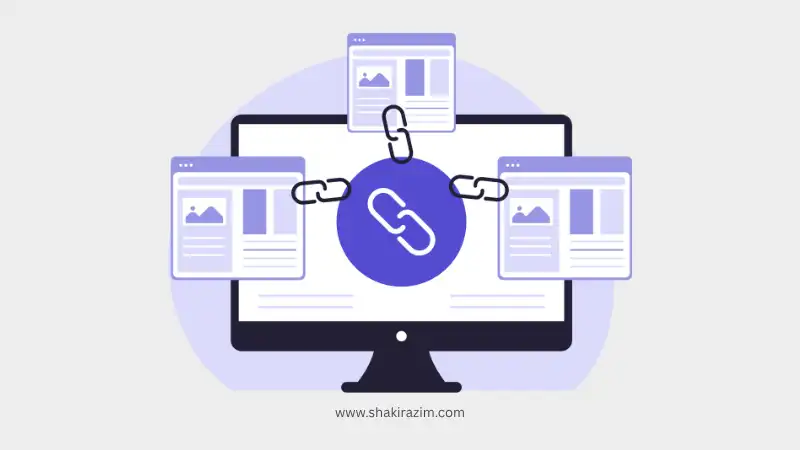
Google’s employees have said in public that internal linking is “super critical” for how they understand and rank websites. That’s not a marketing term; it’s a direct admission that how you link your pages affects where you show up in search results.
When you set up a good internal linking structure, this is what happens. First, you’re giving different parts of your site power. Google trusts and respects every page on your website to some degree. When you link to another page from a strong page, you’re basically saying that page is good. You’re telling them, “If you liked this, you’ll like this too.”
Second, you’re becoming an expert on the subject. When you link your page on on-page SEO optimization to your full SEO digital growth guide, Google knows that these two topics are related and that you know a lot about all aspects of SEO. Google sees you as a real source on a topic when it crawls your site and finds many pages that are all related to each other and cover different aspects of the same subject.
Third, and this is a big deal, you are making the user experience better. People stay on your page longer when they find links to other useful content. They read more pages. They connect with your brand on a deeper level. Google sees these behavioral signals and uses them to judge the quality of a site.
Studies show that sites with well-organized internal links get 5–10% more organic traffic. It may sound small, but when you think about it, you’re not making new content or building new backlinks; you’re just rearranging what you already have. That’s a big return on investment.
How Authority Moves Through Your Site
Let me explain how this really works, because knowing the “why” makes it much easier to do the “how.”
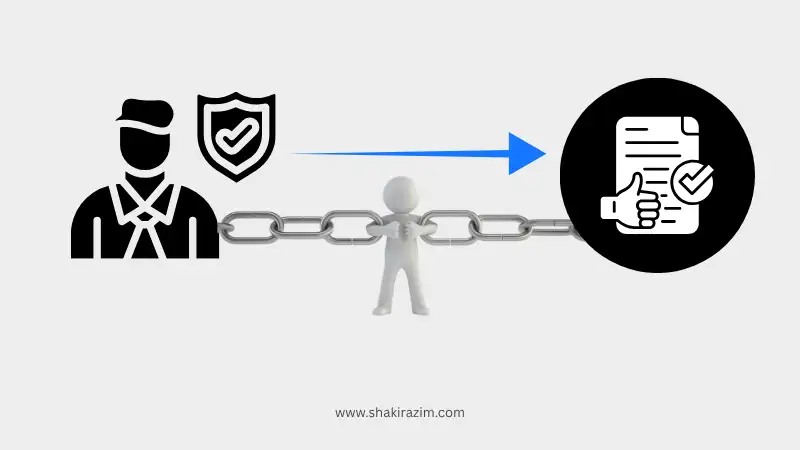
Each page on your website has a certain amount of power. People in the SEO world often call this “link juice,” but I like to think of it as “trust currency.” When you link to another page, you’re giving some of that trust to the other page.
Think of your homepage as the main source of power. It usually has the most external links, the most visitors, and the most recognition from Google. When your homepage links to your most important content or service pages, those pages get some of that authority. When those pages link to other pages on your site, they also give those pages authority.
But this is where most people go wrong: they treat all of their internal links the same. They just put random links in their sidebar or footer and call it a day. That’s not a good plan. You need to plan out which pages link to which and how. Backlinko’s extensive study of internal links and rankings shows that the number of links you have is not as important as where they are and how relevant they are.
The idea of topical authority goes even further than this. You show that you know a lot about a subject when you make several pieces of content about it and link them together in a way that makes sense. You’re letting Google know that you know a lot about a topic and can talk about it from different points of view. This is exactly what I said in my guide on how to avoid SEO mistakes that hurt your rankings. I talk about how bad internal linking is one of the most common mistakes.
This is when the links between content, context, and connections become very important. If you have a link from your homepage to a blog post, Google will know that post is important. But when five other articles that are related to that blog post link to it, all using relevant anchor text and fitting into a clear topic hierarchy, Google really pays attention.
I call this web of related content “semantic relationships.” You’re not just putting links between pages at random. You’re putting together a structure of knowledge that shows how the subject really works in the real world. Google’s algorithms, especially with AI improvements, can see these patterns. In fact, as I talked about in my article on AI search optimization, search engines are getting better at figuring out how your content is related to each other.
Your Content Foundation: The Topic Clusters Framework
You now know how authority flows. Let me show you the structure that makes an internal linking strategy work: topic clusters.
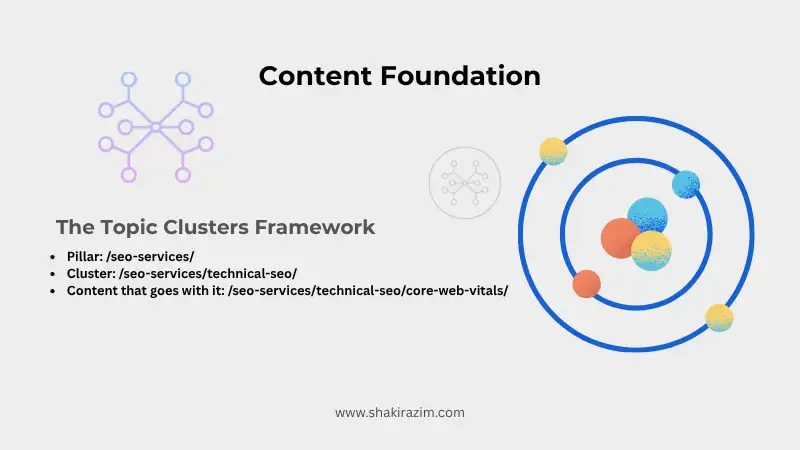
This is the model. You don’t just write random blog posts that don’t connect to each other. Instead, you organize your content around main ideas. There is one main hub for each theme, called a pillar page, that covers the topic in general. Then you write a lot of supporting articles, called cluster pages, that go into great detail about certain subtopics. The pillar links to all the clusters, and all the cluster pages link back to the pillar.
Let me show you a real-life example from my own work. You want to be an expert in SEO services, right? You’d make a full pillar page called “The Complete Guide to SEO Services” that goes over all the main parts of SEO, such as technical SEO, on-page optimization, content strategy, local SEO, link building, and analytics.
Then you make a separate page for each subtopic in the cluster:
- “Checklist for a Technical SEO Audit”
- “Guide to Optimizing On-Page SEO”
- “Content Strategy for SEO Growth”
- “Service Businesses’ Local SEO”
Natural anchor text like “full SEO strategy” or “comprehensive SEO services” links each of these cluster pages back to your main pillar page. When it makes sense, cluster pages also link to each other. When talking about crawl budget and content volume, your on-page SEO article might link to your content strategy article.
This structure works because it is similar to how people really look for information. Someone might type in a broad search term like “SEO services,” end up on your pillar page, and then click through to find out more about technical audits or local optimization. Google’s official advice on how to structure your site stresses this hierarchical approach because it makes it easier for search engines to understand your content.
The great thing about topic clusters is that they make it easy to understand how a site is set up. You’re not just making content; you’re also building systems of organized knowledge. The roads that connect the houses in each cluster make it easy to get around in your content city.
This hierarchy should also be clear in your URL structure. Instead of URLs for random blog posts like /blog/random-title-123/, make them make sense:
- Pillar:
/seo-services/ - Cluster:
/seo-services/technical-seo/ - Content that goes with it:
/seo-services/technical-seo/core-web-vitals/
This makes it easier for both people and search engines to know exactly where they are in your content ecosystem. I’ve talked about this in more detail in my posts about how to use schema markup and how structured data fits into the overall structure of your site.
Most people don’t know this, but you don’t need a lot of cluster pages for this to work. Begin with one pillar page and five to eight strong cluster pages. That’s enough to show that you know what you’re talking about and keep the project manageable.
Step by step, here’s how to build your internal linking structure
Let me show you exactly how I set up a website’s internal linking strategy. This works whether you’re building a new site or improving an old one.
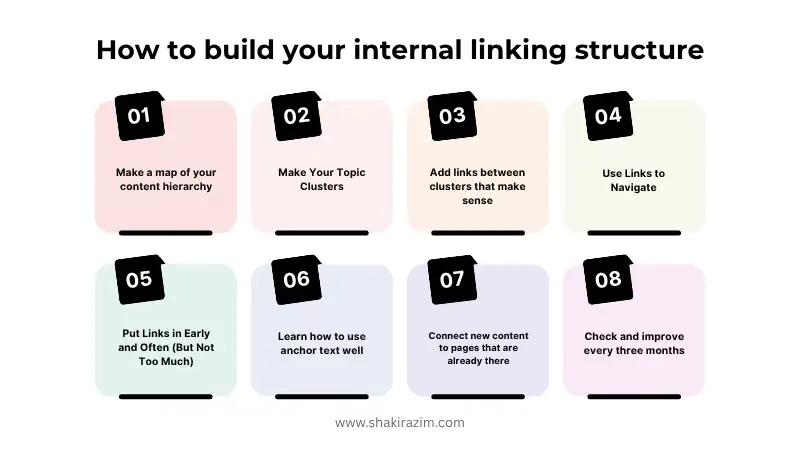
Step 1: Make a map of your content hierarchy
You need to know what content you have and how it should relate to each other before you add any links. Get a piece of paper or a spreadsheet and write down the pages that are most important to you—the ones you want to rank and the ones that help your business.
For most businesses, this means your homepage, the pages for your main services, and your best blog posts or the ones that cover the most ground. These are your main pages.
Next, find the content that goes with each pillar. If you have a pillar for “Content Marketing Strategy,” your supporting content could be blog posts, videos, email campaigns, and social media plans. For example, my content strategy guide for creators is linked to my larger SEO digital growth strategy through strategic internal linking.
Make connections between things that are related. Which articles naturally go together? Where would it make sense for a reader to go from one topic to another?
Step 2: Make Your Topic Clusters
Now put your content into clear groups. Each group needs one main page that has all the information they need on that topic. Make a pillar page if you don’t already have one. It should be at least 2,000–3,000 words long and cover the topic from all sides.
Each of your cluster pages should focus on one part of the bigger topic. These can be shorter and more to the point. They don’t have to be full of facts; they just have to be helpful.
Step 3: Add links between clusters that make sense
This is where the magic happens. Add links back to your pillar page on each cluster page. Use descriptive anchor text to let readers and search engines know what they will find on the other side.
Use phrases like “comprehensive guide to topic clusters” or “learn more about site architecture optimization” instead of “click here” or “read more.” Make the link text useful. Search Engine Journal’s experts have written about how optimizing anchor text affects your rankings directly.
Also, link between related cluster pages when it really helps the reader. If you write about pillar pages and mention the idea of internal linking, link to your internal linking article. But only do this if it helps—don’t try to make connections that aren’t there.
Step 4: Use Links to Navigate
Your main navigation menu should make it easy to find your pillar pages. This tells Google that these are important places on your site.
Put breadcrumb navigation on every page. Breadcrumbs automatically make a trail of links that show the page hierarchy. They are especially useful for SEO because they show up in search results.
You can put links to important pillar pages in your footer, but make sure it looks nice. Don’t use footer links as your main way to link to other pages on your site because they don’t carry as much weight as contextual content links. If you want to learn more about how all of these parts work together, check out my in-depth guide on how to pick the best SEO tools for your strategy.
Step 5: Put Links in Early and Often (But Not Too Much)
When you write or update content, try to put internal links in the first 200 words whenever you can. Search engines and readers pay more attention to links that are higher up on the page.
It’s okay to have more than one internal link in an article as long as they are all relevant. A blog post with 1,500 words can easily have 5 to 8 internal links without looking like spam.
Step 6: Learn how to use anchor text well
The words that can be clicked on in a link, called anchor text, are very important. You want things to be different, relevant, and in plain language. Ahrefs’ study of internal linking shows that pages that get the most contextual internal links tend to do better in search results for their target keywords.
Use exact-match anchor text every now and then (like linking “pillar pages” to your pillar page guide), but most of the time, change it up. Add in partial matches (“creating effective pillar content”), branded phrases (“Shakir Azim’s guide to SEO”), and descriptive phrases (“comprehensive pillar page strategy”).
Never use the same anchor text for the same link on more than one page. Google might think this is a trick. Make it sound natural and focus on the reader.
Step 7: Connect new content to pages that are already there
Every time you put out new content, make sure to link it to pages that are already relevant. This gives the new page some authority from pages that are already ranked.
More importantly, go back to the content you already have and add links to your new page. If you just wrote a detailed guide on how to optimize anchor text, go through all of your old articles that mention anchor text and add a link to your new one. For instance, when I wrote my guide on Generative Engine Optimization (GEO), I linked to it from my article on AI search optimization where it made sense in the context.
Step 8: Check and improve every three months
Every three months, set a reminder to check your internal linking. To find pages that aren’t being crawled well, use tools like Google Search Console. These are often orphaned pages, which means they don’t have any internal links pointing to them.
Look for broken links on your own site and fix them right away. Broken links waste crawl budget and make users angry.
Check out your best pages and think about where else you should link to them. On the other hand, find pages that aren’t doing well and see if adding more internal links from pages that are more reliable helps them.
Best Practices That Really Work
Based on what I’ve seen work on dozens of websites, here’s a list of things that actually work.
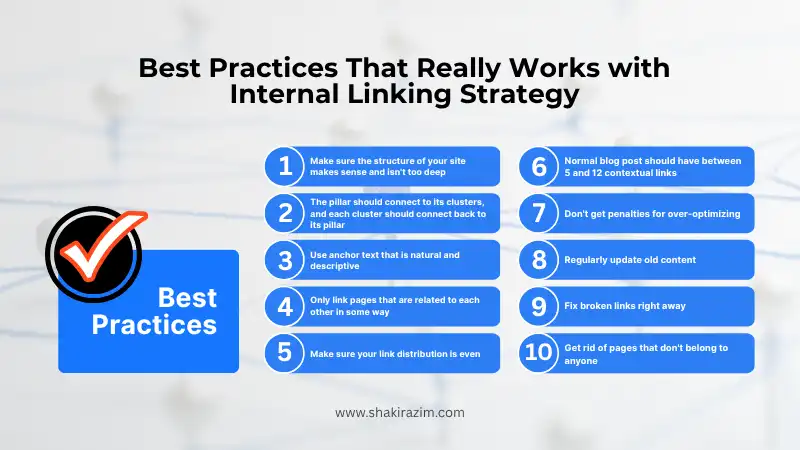
Make sure the structure of your site makes sense and isn’t too deep. Your homepage should have links to your most important content that are no more than three clicks away. The more you bury content, the less authority it gets and the less often it gets crawled.
Make links that go both ways between pillars and clusters. The pillar should connect to its clusters, and each cluster should connect back to its pillar. This makes the structure of authority clear.
Use anchor text that is natural and descriptive. Write the link text as if you were writing a sentence. “Learn more about how topic clusters boost SEO” sounds a lot better than “topic clusters information page.”
Only link pages that are related to each other in some way. Don’t try to make connections. It makes sense to link to your Core Web Vitals article if you’re writing about technical SEO. Linking to your guide on social media marketing doesn’t make sense.
Make sure your link distribution is even. The pages that are most important to you should get the most internal links, but you should also spread authority around your site. Don’t just link to the same three pages from every article.
Don’t worry too much about how many links are on each page. There is no magic number, but a normal blog post should have between 5 and 12 contextual links. You might have 15 to 20 links if you’re writing a long guide. Just make sure they all help the reader.
Don’t get penalties for over-optimizing. Don’t use anchor text that is full of keywords for every link. Avoid making links that go in circles (for example, Page A links to B, B links to C, and C links back to A). Don’t hide links or use tricks to get people to click on them. Stay natural and focus on the user.
Regularly update old content. When you put out new content, make sure to go back and update old posts that are related to it so they link to it. This keeps all the pages on your site linked together and tells Google that your site is new.
Fix broken links right away. Broken internal links waste crawl budget and make the user experience worse. Use tools to keep an eye out for them and fix them as soon as you see them.
Get rid of pages that don’t belong to anyone. There should be at least one link on every page of your site that goes to another page on your site. If it doesn’t, either add links to it or think about whether it should even be there.
Examples from the real world that show it works
I learn best when I see how successful sites put these ideas into practice. Here are a few examples you can use as models.
Salesforce’s whole content strategy was based on topic clusters. Their “CRM” pillar page goes into great detail about customer relationship management and then links to dozens of cluster pages that cover specific topics, such as CRM systems, CRM software, the best CRM tools for certain industries, implementation guides, and case studies.
This web of authority that dominates search results for anything related to CRM is made up of links from each cluster page back to the main pillar. Salesforce content shows up when you search for almost any CRM-related term because they have built such strong topical authority through smart internal linking.
Inbound marketing is something HubSpot does in a similar way. They make pillar pages for big topics and then add supporting content in different formats, like blog posts, video tutorials, downloadable templates, webinars, and courses. Everything goes back to the right pillar, and they put calls to action at the top and bottom of pages in a way that helps readers find conversion points.
These examples show that an internal linking strategy isn’t just about SEO; it’s also about making the user experience better, which will naturally lead to more engagement and conversions. These businesses know that when you organize your content in a way that makes sense and link it in a way that makes sense, visitors will naturally find more of your content, stay on your site longer, and trust your expertise more.
You can use the same ideas on a smaller site. Let’s say you’re a local consultant who helps businesses with SEO. You could make:
- Pillar page: “SEO Services for Local Businesses”
- Group 1: “Technical SEO Audits”
- Group 2: “Targeting Keywords and Content Strategy”
- Group 3: “Improving Local Search”
- Group 4: “Services for Building Links”
There are links on each service page that go back to your main SEO services page. When it makes sense, the pages link to each other. When talking about keyword strategy, your on-page SEO checklist might mention how important content is and link to your content strategy guide.
This structure makes it very clear to both people who visit your site and search engines what services you offer and how they work together.
Tools That Help with Internal Linking
You don’t need to spend a lot of money on software to make a good internal linking strategy, but some tools can help you do it faster and better.
Screaming Frog is a tool that scans your website and shows you all of its internal links. It finds broken links, pages that don’t have any links to them, and patterns in how links are made. The free version can handle up to 500 URLs, which is enough for most small to medium-sized websites. In my guide to the best SEO tools, I’ve gone into great detail about this.
My favorite WordPress SEO plugin is RankMath. It has suggestions for internal links built in. While you write, it shows you related posts that you might want to link to. It also helps you choose pillar content and automatically suggests which pages should get more internal links. Just the suggestions for links save me hours every month.
Google Search Console tells you which pages are being crawled, which have problems, and which aren’t being indexed. This helps you find pages that need more internal links to be found and indexed correctly.
You can use Ahrefs or SEMrush’s site audit tools to look at your internal links. They tell you which pages have the most internal links pointing to them, which pages don’t have any links at all, and where your links are broken. These are high-end tools, but if you already have them, they are very helpful for ongoing optimization.
MindMeister and other simple mind-mapping tools, or even a Google Spreadsheet, are great for planning your topic clusters before you start making links.
You don’t need to have every tool; you just need to use a few of them regularly to keep an eye on and improve your internal linking over time.
Mistakes You Shouldn’t Make
Let me help you avoid the mistakes I see all the time when I look at websites.

The worst thing you can do is not link to other pages on your own site. I often come across sites with hundreds of blog posts that don’t link to each other very well. Each post stands on its own. That means you’re missing out on a lot of SEO value. In fact, I’ve written about a lot of these mistakes in my article about SEO mistakes to avoid. Poor internal linking is always one of the top problems that small businesses face.
The second biggest mistake is to only use links in the navigation and footer. Yes, these make internal links, but they don’t have as much weight as links that are in the content itself. If the only links to your service pages are in your menu and footer, you’re missing out on the chance to pass real authority through useful contextual links.
Using generic anchor text is another common problem. If every link says “click here” or “read more,” you’re missing out on a chance to tell both readers and search engines what the page you’re linking to is about.
Some people go the other way and over-optimize anchor text by using exact-match keywords for every link. That doesn’t look natural and could set off spam filters. Change it up.
I also see people making circular linking patterns or linking to the same page more than once in the same article. One link to a useful resource is helpful. Three links to the same page just seem like spam.
Last but not least, people make complicated internal linking structures but never keep them up. Links stop working, content is lost, and new content isn’t added, which causes the whole structure to slowly fall apart. Set up quarterly audits to make sure everything is clean and works.
Putting Everything Together
The truth is that an internal linking strategy isn’t hard, but it does take some thought. You can’t just put links in random places in your content and expect them to work. You should think about how your content fits together in an architectural way.

First, group your content into clear topic clusters. Find your pillar pages, which are the complete resources that cover important topics. After that, make or arrange supporting cluster pages for each pillar. Make sure that every cluster connects back to its pillar, and connect clusters that are similar when it makes sense.
Use anchor text that is natural and descriptive to let readers know what they will find on the other side. When you can, put links at the beginning of your content. Make sure that every page has at least one internal link pointing to it and that old content links to new resources. Check out my full SEO digital growth guide for more strategic advice.
Use tools like Google Search Console and RankMath to check your internal linking structure every three months. Fix links that don’t work, find pages that don’t have any links to them, and keep improving which pages link to which.
If you do this regularly, your site’s structure will become clearer, your authority on the topic will grow, and your rankings will rise. More importantly, your visitors will be able to find their way around your content more easily, connect more deeply with your brand, and see you as an expert in your field. The official guide from Moz says that sites with well-organized internal linking structures always do better than sites with messy content.
You’re not the only one who has noticed that the internal linking structure of your site needs work. Most websites can greatly improve their SEO by simply rearranging and reconnecting what they already have. The money you spend is well worth it. Check out my full blog for more tactical SEO tips and other resources on how to build your digital authority.
Keep in mind that you’re not just making links. You’re making a network of information that works for both search engines and people. If you do it right, everyone wins.