

If you’ve been working on your website’s SEO for a while, you may have noticed that some search results look much better than others. Some listings show star ratings, cooking times for recipes, event dates, or FAQ sections right in the search results. The things that catch your eye aren’t magic; they’re called schema markup.
I’ve been optimizing websites for search engines for years, and I can tell you that schema markup is one of those technical SEO things that sounds scary at first but works really well once you get the hang of it. You can think of it as a translator that helps Google understand exactly what your content is about.
In this guide, I’ll show you everything you need to know about adding schema markup to your website. You’ll learn how to use structured data to make your blog, e-commerce store, or service-based business stand out in search results and get more clicks.
What Is Schema Markup?
Let me explain this in simple terms. Adding schema markup, or structured data, to your website is a way to help search engines understand your content better. Search engines have gotten pretty good at reading web pages, but they can still miss the point or get what you’re trying to say wrong. Schema markup takes away the need to guess.
When you add schema markup to your site, you’re basically putting tags on different pieces of information so that search engines can find them. You’re telling Google, “This is the author’s name, this is the publication date, this is a product review, and this is the price.” Search engines can then use this labeled information to make those visually rich search results, which we call “rich snippets”.
The best thing about structured data is that it doesn’t change what people see on your website. Your human visitors will still see your normal content, but the code works behind the scenes to talk to search engines.
Why Schema Markup Is Important for SEO
You might be wondering if it’s worth your time to add schema markup. There are already a lot of SEO tasks that need your attention. Here are some good reasons why schema markup should be at the top of your list of things to do.
More Clicks
Adding images, star ratings, or answers to frequently asked questions to your search listing will naturally make it stand out more. The studies have shown great results. Rotten Tomatoes added structured data to 100,000 pages and found that people clicked on them 25% more often than on pages without it. The Food Network added schema markup to 80% of their pages, and visits went up by 35%.
We’re not talking about little changes here. From my own experience working on client websites, using the right schema markup usually leads to a noticeable increase in traffic within a few months.
More Knowledge About Search Engines
Search engines still benefit from understanding your content better, even if your schema markup doesn’t directly lead to rich snippets. This better understanding can help your pages show up for more relevant searches. I’ve seen this happen a lot: pages with the right schema markup tend to rank for more related keywords because Google knows the context better.
Advantage Over the Competition
You might be surprised to learn that most websites still don’t use schema markup correctly, even though it is very useful. That means you can easily stand out from your competitors. When other websites are competing for the same keywords as you, those improved search results can make the difference between getting the click and losing it to a competitor.
More Visibility for Your Brand
Schema markup helps your site show up more in search results. You can add images, breadcrumbs, site links, and other things to your listing that make it stand out more than just a blue link with a meta description. This higher visibility strengthens your brand’s authority and makes people more likely to trust and click on your result.
Essential Schema Types You Should Know
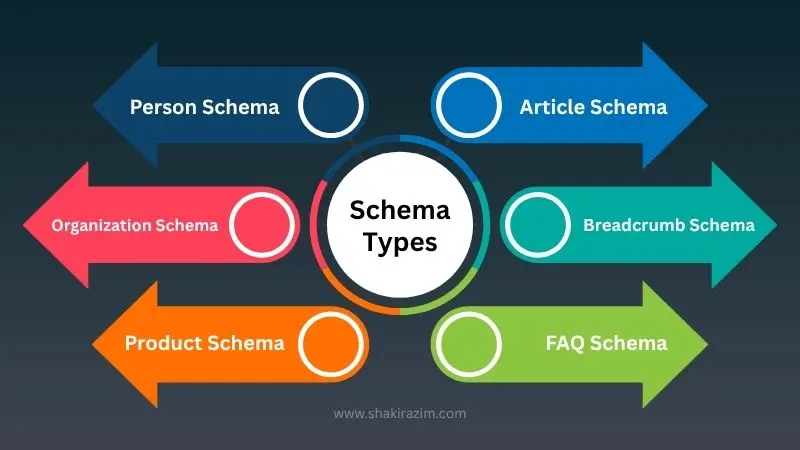
There are hundreds of different schema types on Schema.org, but you don’t have to use them all. Let me show you the most important ones that have the biggest effect on most websites.
Article Schema
Article schema should be your first stop if you have a blog like I do at shakirazim.com/blog. This kind of schema gives search engines important information about your blog posts, such as the title, author, publication date, featured image, and body of the article.
Article schema is very important for getting into Google’s Top Stories section and for building author authority, which I talked about in detail in my post about SEO mistakes that hurt rankings. Using the right Article schema with accurate author information all the time sends signals that help you build trust and expertise.
Person Schema
Anyone who wants to build a personal brand or be seen as an expert in their field needs to understand Person schema. This type of schema has information like your name, job title, credentials, photo, social media profiles, and the organizations you belong to.
I use Person schema a lot on my own site because it helps Google figure out who I am and what I do. This is important for showing up in Knowledge Panels and for strengthening the E-E-A-T (Experience, Expertise, Authoritativeness, Trustworthiness) signals that Google uses to judge the quality of content.
Organization Schema
If you work for a company, Organization schema helps people find your business in search results. It has your business name, logo, contact information, social media profiles, and other important information about your business. This schema type is what makes brand Knowledge Panels work. It also helps Google show the right information about your business when people search for your brand name.
FAQ Schema
This is one of my favorite types of schema because it makes search results look so different. FAQ schema lets your most common questions show up right in the search results, where they often take up a lot of space and push competitors down the page.
The most important thing about FAQ schema is to answer the questions that your audience is looking for. Don’t just make general FAQs. Instead, think about the specific questions people have when they are looking into your topic or considering your services.
HowTo Schema
HowTo schema can show your step-by-step instructions right in search results if you make tutorial content or how-to guides. Google shows these as lists that can be expanded, with each step clearly numbered so that users know exactly how to do the task.
This type of schema is great for DIY content, recipes, technical tutorials, and any other content that shows readers how to do something. HowTo schema helps the step-by-step parts of my guides, like my complete on-page SEO checklist, show up more in search results.
Product Schema
Product schema shows important information like ratings, reviews, prices, and availability right in the search results for e-commerce sites or service providers that list specific items. This type of schema is important for showing up in Google Shopping results and for giving potential customers the information they need before they even click through to your site.
Breadcrumb Schema
Breadcrumb schema shows the hierarchical structure of your website in search results. This makes it easier for users to see how a page fits into the overall structure of your site. Google doesn’t show a long URL. Instead, it shows a clickable breadcrumb trail that says “Home > Blog > SEO Tips > Schema Markup.”
This better display looks more professional and helps users understand how your site is set up. It’s very useful for big websites with a lot of categories and subcategories.
How to Implement Schema Markup on Website
Now let’s get down to business and add schema markup to your site. You don’t have to be a coding expert to do this. Depending on how comfortable you are with technology, there are a few different ways to do this.
Understanding JSON-LD Format
Google says that JSON-LD (JavaScript Object Notation for Linked Data) is the best way to add schema markup. JSON-LD is different from other formats because it only needs a simple script tag that you can put in the head or body of your page.
JSON-LD is great because it keeps your structured data completely separate from the content that people can see. This makes it much easier to add, change, and keep things up to date without messing up the layout of your page. Also, Google can read JSON-LD data even when it’s added to a page through JavaScript.
Manual Implementation with Code
Adding JSON-LD by hand is easy if you know how to code. You just need to put a script tag in your HTML with the structured data inside. Here’s what a basic Article schema looks like:
json<script type="application/ld+json">
{
  "@context": "https://schema.org",
  "@type": "Article",
  "headline": "Schema Markup Essentials: Boost Your Search Visibility",
  "author": {
    "@type": "Person",
    "name": "Shakir Azim",
    "url": "https://shakirazim.com"
  },
  "datePublished": "2025-10-21",
  "dateModified": "2025-10-21",
  "image": "https://shakirazim.com/wp-content/uploads/2025/10/schema-markup-guide.jpg",
  "publisher": {
    "@type": "Organization",
    "name": "Shakir Azim",
    "logo": {
      "@type": "ImageObject",
      "url": "https://shakirazim.com/wp-content/uploads/2025/10/Shakir-Azim.webp"
    }
  }
}
</script>
Put this code in the <head> section of your page. The @type tells search engines that this is an article, and the @context tells them that we are using schema.org vocabulary. Every extra field gives you more information about the article.
Using WordPress Plugins
Plugins make it a lot easier for people like me who use WordPress to set things up. On my site, I use RankMath SEO, which has schema markup built in. You don’t have to touch any code to change schema settings with RankMath.
This is how I usually use RankMath:
- Add the RankMath plugin and turn it on
- Visit the schema settings for the plugin
- Choose the default schema type for your site, which is usually “Organization” or “Person”
- Give your business or personal information
- Set up schema types for different kinds of posts, like Article for blog posts and Service for service pages
The plugin makes the JSON-LD code for you and puts it on your pages. If you want, you can also change the schema settings for each post. If you want the benefits of schema markup but don’t want to learn how to code, this is the way to go.
Schema Markup Examples for Blog Posts
Since a lot of you who are reading this probably have blogs, I’ll show you how to use JSON-LD schema markup for blog posts. This example uses the Article, Person, and Organization schemas together to make a full structured data implementation:
json<script type="application/ld+json">
{
  "@context": "https://schema.org",
  "@type": "Article",
  "mainEntityOfPage": {
    "@type": "WebPage",
    "@id": "https://shakirazim.com/blog/schema-markup-essentials/"
  },
  "headline": "Schema Markup Essentials: Boost Your Search Visibility with Structured Data",
  "description": "Learn how to use schema markup to improve your search results with rich snippets. This is a complete guide to using structured data.",
  "image": {
    "@type": "ImageObject",
    "url": "https://shakirazim.com/wp-content/uploads/schema-featured.jpg",
    "width": 1200,
    "height": 675
  },
  "author": {
    "@type": "Person",
    "@id": "https://shakirazim.com/#person",
    "name": "Shakir Azim",
    "url": "https://shakirazim.com",
    "image": "https://shakirazim.com/wp-content/uploads/2025/10/Shakir-Azim.webp",
    "sameAs": [
      "https://www.linkedin.com/in/iamshakirazim",
      "https://twitter.com/iamshakirazim",
      "https://facebook.com/iamshakirazim"
    ]
  },
  "publisher": {
    "@type": "Organization",
    "name": "Shakir Azim",
    "logo": {
      "@type": "ImageObject",
      "url": "https://shakirazim.com/wp-content/uploads/2025/10/Shakir-Azim.webp"
    }
  },
  "datePublished": "2025-10-21",
  "dateModified": "2025-10-21"
}
</script>
Notice how this example puts together different types of schemas. The author property has a Person schema, and the publisher property has an Organization schema. This method of nesting gives search engines a lot of data that is connected in useful ways.
The main fields are:
- headline: Your article title (keep it under 110 characters for best display)
- description: A short summary of what your article is about
- image: URL of the featured image with its size
- author: More information about the person who made the content
- publisher: Details about the organization that publishes
- datePublished and dateModified: Times when the book was published and updated
Make sure that the information in each field is correct and matches what people see on your page. Google’s structured data guidelines say that structured data must show real content on a page.
How to Test Schema Markup
Adding schema markup is only part of the problem. You also need to make sure that your implementation is correct and that Google can read it correctly. Testing is very important because even small mistakes in syntax can stop your rich results from showing up.
Using Google’s Rich Results Test
The Rich Results Test is a free tool from Google that shows you exactly how Google’s crawlers see your structured data. This is how to use it:
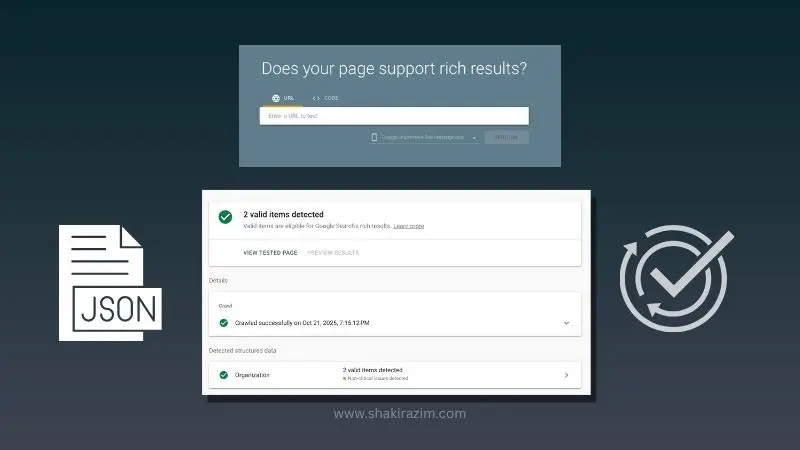
- Go to the Rich Results Test
- Paste your HTML code or type in the URL of your page
- To test the URL or code, click “Test URL” or “Test Code”
- Check the results to make sure your markup is valid
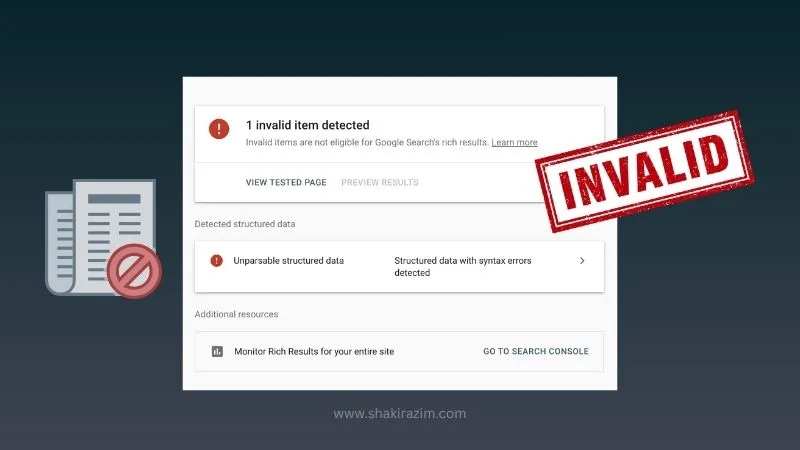
The tool will show you any problems or errors in your schema implementation. Your page won’t be able to show rich results until you fix the errors. Warnings are optional changes that could make it more likely that you will show up as a rich result.
Before I publish, I use this tool to check every page with schema markup. It has saved me a lot of times from publishing pages with broken schema that wouldn’t have gotten rich results.
Validating with Schema.org Validator
Another useful testing tool is the schema.org validator. Google’s tool checks to see if your JSON-LD follows the right schema.org syntax, while schema.org validator checks to see if your JSON-LD is eligible for Google Search features. This is especially helpful if you’re using advanced or nested schema types.
Monitoring in Google Search Console
You should keep an eye on how well schema markup works in Google Search Console after you’ve added it and made sure it’s correct. To see reports on your structured data, go to the “Enhancements” section:
- Which pages have structured data that works
- Any mistakes or warnings that have come up since the deployment
- How many pages can get rich results
- Clicks and impressions for pages with rich results
You can see how your schema works in the real world in Google Search Console. I look at my reports once a month to make sure everything is working right and to find any new problems that may have come up.
Common Errors and How to Fix Them
I’ve made the same mistakes over and over again when using schema markup for years. Here are the most common problems and how to fix them:
Missing Required Fields: Every type of schema has some required properties. For instance, the Article schema needs a headline, an image, and a datePublished. Make sure to fill out all the required fields.
Incorrect Date Formats: Dates must be in the ISO 8601 format (YYYY-MM-DD or YYYY-MM-DDThh:mm:ss). It won’t work to write dates like “October 21, 2025.”
Image Size Issues: A lot of schema types need images that are at least 1200 pixels wide. Rich results may not show up if the images are too small.
URL Validation Errors: Every URL in your schema must be complete and correct (they must start with https:// or http://). You need the full URL, not just a relative one like “/blog/post.”
Marking Up Invisible Content: This is a serious policy violation. Your structured data should only describe content that users can see on the page. Even if it’s technically correct, don’t add markup for content that isn’t on the page.
Advanced Schema Implementation Strategies
You can learn more advanced schema implementation techniques that give you even more benefits once you feel comfortable with the basics.
Nested Schema Types
You can use more than one schema type in one implementation to give it more context. For instance, you could put the Person schema inside the Article schema for the author and the Organization schema for the publisher. This makes a web of information that is linked together, which helps search engines figure out how things are related.
I use this method a lot on my service pages, where I combine Service schema, Organization schema, and AggregateRating schema to give a full picture of what I do and how clients rate my work.
Site-wide vs Page-specific Schema
Some types of schema should be used on all pages of a site, while others should only be used on certain pages. Here’s how I usually set this up:
Schema for the whole site (in the header or footer of your site):
- Organization schema with your business details
- WebSite schema with information about site search
- Breadcrumb list schema structure
Schema for each page:
- Article schema for blog posts
- Product schema for pages about products
- FAQ schema for pages that have FAQs
- HowTo schema for how-to content
This layered approach makes sure that every page has both general organization context and specific content markup.
Schema for Different Content Types
Different types of content work better with different schema implementations. Here are some examples of my own work on content strategy:
For educational content like my complete SEO and digital growth guide, I use Article schema for the main part and HowTo schema for the step-by-step parts.
For resource roundups like my best SEO tools post, I use ItemList schema to make each tool stand out as a separate list item.
For strategy guides focused on specific topics, I use both Article schema and FAQ schema when there are common questions that readers have about the topic.
The most important thing is to make sure that your schema implementation fits the type of content and the reader’s intent. Think about what information would be most helpful to show in search results, and then use the schema types that bring that information to the surface.
Measuring the Impact of Your Schema Implementation
You should keep an eye on whether schema markup is actually making a difference after you put it on your site. This is how I check how well schema markup works:
Click-Through Rate Analysis
Improved click-through rates are the best way to tell if schema markup is working. You can narrow down your performance report in Google Search Console to only show pages that have schema markup or don’t have schema markup. Pages with rich results in search should have a higher CTR.
I usually wait 2 to 3 months before making any decisions about new schema implementations. It takes time for search engines to crawl your pages again and start showing rich results all the time.
Rich Result Appearances
Keep track of how often your pages show up as rich results. The Enhancements section of Search Console shows how many times pages with structured data have been seen. Keep an eye on this over time to see if you’re getting more rich results as Google indexes your schema markup.
Organic Traffic Improvements
Schema markup doesn’t directly improve rankings, but it usually does lead to more traffic because it makes your site more visible and increases your click-through rate (CTR). Look at the trends in organic traffic before and after adding schema markup to see how it affects things.
Last year, when I added detailed schema markup to my service pages, I saw a 28% rise in organic traffic over the next three months. The pages didn’t always rank higher, but the rich snippets made them much more appealing to click on.
Position Tracking
Sometimes a higher CTR sends good engagement signals that can indirectly affect rankings. Keep an eye on your keyword positions over time and see if they change in any way when you add schema.
Common Mistakes to Avoid
I’ve seen these mistakes over and over again while working with a lot of websites on schema implementation. You will save time and make sure your structured data is eligible for rich results if you don’t do them.
Marking Up Invisible Content
This is something that happens a lot, so it needs to be said again. Your schema markup should only talk about things that people can see on the page. If there are no reviews, don’t add review schema. If prices aren’t shown, don’t mark them up. If FAQs aren’t on the page, don’t include them in your schema.
Google’s structured data guidelines are very clear about this, and if you don’t follow them, your site could be subject to manual actions.
Using Incorrect Schema Types
Each type of schema is meant to hold a certain kind of content. Don’t use Event schema for webinars that aren’t real events, Recipe schema for things that aren’t recipes, or mark up blog posts as Products. If you use the wrong schema type, search engines may get confused and rich results may not show up.
Over-marking Content
You should not mark up every element just because you can add schema markup. Concentrate on the most important content that adds value to search results. Over-marking can make your code hard to read and hard to keep up with, and it doesn’t give you any extra benefits.
Not Updating Schema When Content Changes
Don’t forget to update the schema markup that goes with your content when you do. Update the dateModified field if you change the date your article was published. Update your FAQ schema if you add new FAQs. If your schema markup is out of date, what visitors see on your page may not match what search results show.
Ignoring Validation Errors
Don’t ignore mistakes in the Search Console or the Rich Results Test. Because of those mistakes, your pages can’t show rich results. Fixing validation errors is worth the time and effort because it will make your site easier to find in search engines.
Getting Started with Schema Markup Today
If everything we’ve talked about is too much for you to handle, here’s a simple action plan to help you get started with schema implementation:
Week 1: If you’re building a personal brand, start by adding Organization or Person schema to your entire site. If you’re representing a business, do the same. This sets up your basic entity information on all pages.
Week 2: Add Article schema to your blog posts. This should be easy to set up if you’re using WordPress with RankMath or a similar plugin. Use the Rich Results Test on a few posts to make sure everything is working right.
Week 3: Find the pages on your site that get the most traffic and add the right schema types to them. Product pages get Product schema, FAQ pages get FAQ schema, and tutorials get HowTo schema.
Week 4: If you haven’t already, add Breadcrumb schema. This makes your URLs look better in search results and makes it easier to understand how to get around your site.
Ongoing: Check your Search Console Enhancements reports once a month, fix any mistakes that show up, and slowly add schema to more pages.
You don’t have to use all of the schema types at once, so keep that in mind. Start with the basics that apply to your most important content, make sure they are working right, and then slowly add more to your implementation.
The Future of Schema Markup and Structured Data
Structured data is becoming more and more important as search engines get smarter and use AI. Schema markup is very important for Google’s AI Overviews and other AI-powered search features because they need to understand the context of the content.
In my post about Generative Engine Optimization (GEO), I went into great detail about how structured data can help your content show up in AI-generated search summaries.
Websites that use full, accurate schema markup are now in a good position for any new search technologies that come along. When search engines can easily figure out what your content is about, who made it, and how it fits in with other information, you’re more likely to show up in both regular and AI-generated search results.
Final Thoughts
At first, schema markup might seem hard and technical, but it’s an SEO investment that pays off over time. Structured data gives you better search results, which means more clicks, more qualified traffic, and more brand visibility in search results.
You don’t have to know a lot about coding to use schema markup correctly. It doesn’t matter if you use WordPress plugins, manually implement JSON-LD, or a mix of the two; the important thing is to start somewhere and work your way up.
Instead of trying to mark up everything at once, focus on being accurate and complete. Use schema types that fit your content, test them well, and keep an eye on your results in Search Console. Over time, you’ll create a complete structured data implementation that will help you get ahead of your competitors in search results.
If you want to learn more about technical SEO, I suggest you read my on-page SEO checklist. It includes schema markup as part of a full optimization plan.
Do you have questions about how to use schema markup on your site? Don’t be afraid to contact me; I’m always happy to help other website owners with the technical side of SEO.